
👋 Hello! This is Vijob, your reliable friend for life in Korea!
You get off the subway and...
"Wait, where did my phone go?!" 😨
If it is not in your bag or your pocket, you must be really panicked.
If you are not familiar with Korean, it can be hard to know where to report it.
But don't worry!
In Korea, there is Gyeongchal Minwon 24 (경찰민원24), where you can report and look for lost items.
Today, Vijob will walk you through it step by step!
🚨 1. If you lost your phone, do this first!
Your phone contains important personal information like photos, contacts, and banking details.
So protecting your personal information is just as important as finding your phone!
📱 ① Check your phone's location
Check your phone's location from another device.
iPhone: https://www.icloud.com/find
Android: https://android.com/find
🔒 ② Lock your phone
Turn on remote lock or Lost Mode if available.
📞 ③ Contact your carrier
If it is hard to find, contact your carrier to report it lost and ask about suspending the line.
💡 If you are worried about banking apps or payment info, contact your financial institution too!
⚠️ Even if your phone's location shows up in an unfamiliar place, do not go there alone.
📝 2. Report it on Gyeongchal Minwon 24!
If you cannot find your phone or wallet, try filing a lost item report!
In Korea, you can report it online through Gyeongchal Minwon 24.
📌 Go to Gyeongchal Minwon 24
The reporting process is not hard either!
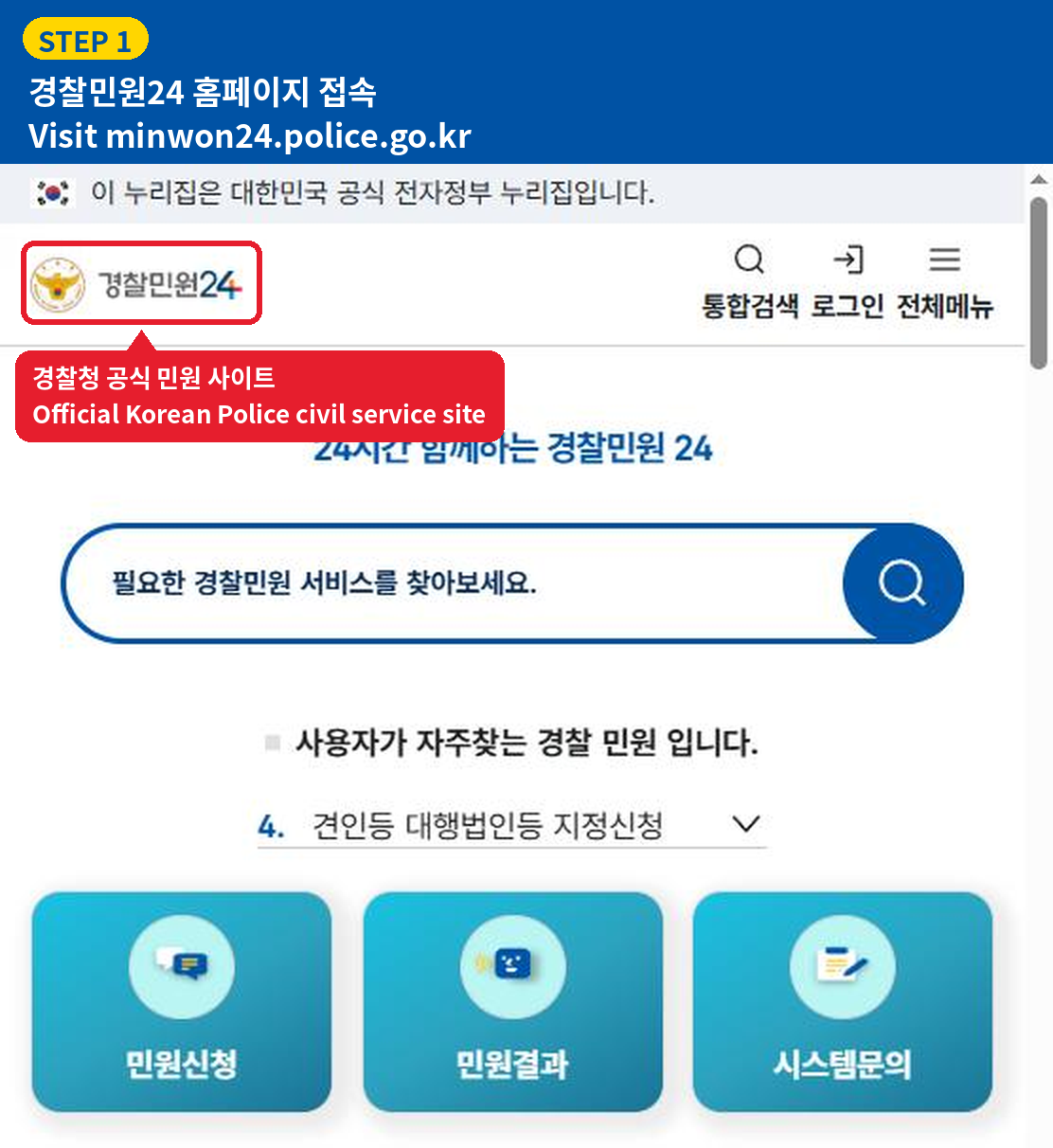
STEP 1. Visit the Gyeongchal Minwon 24 website
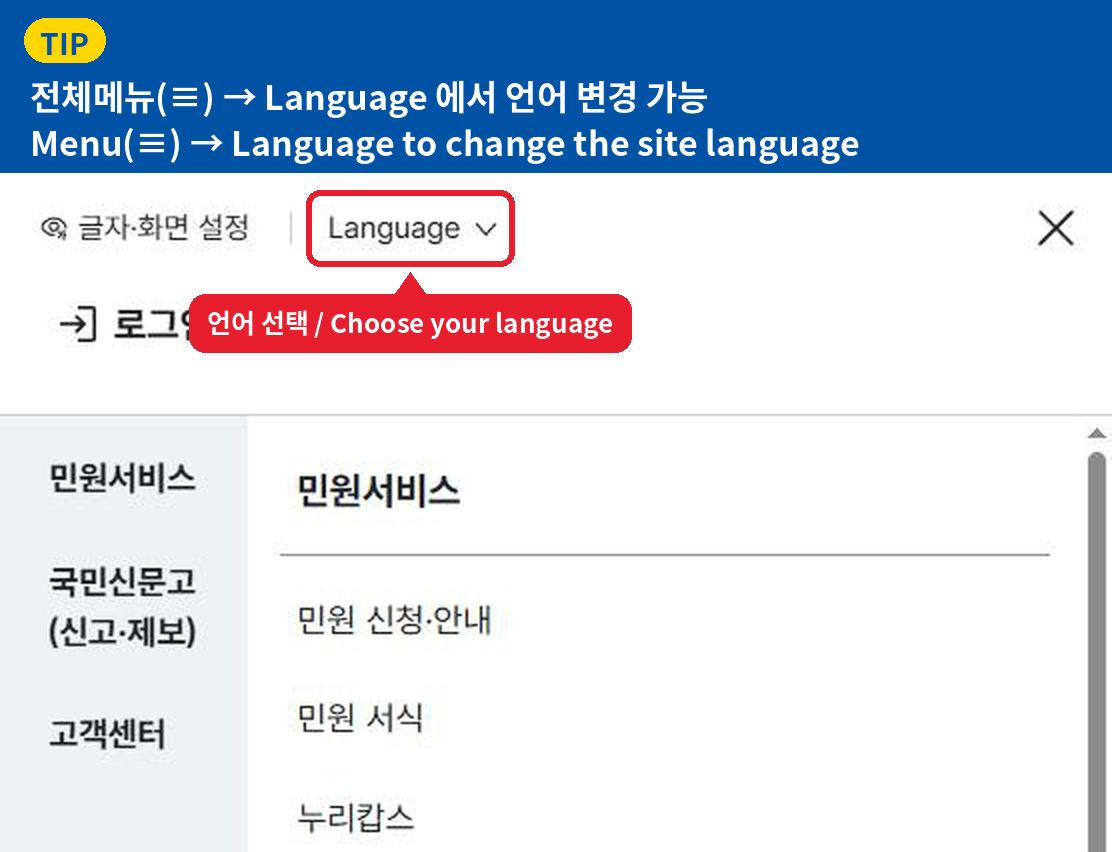
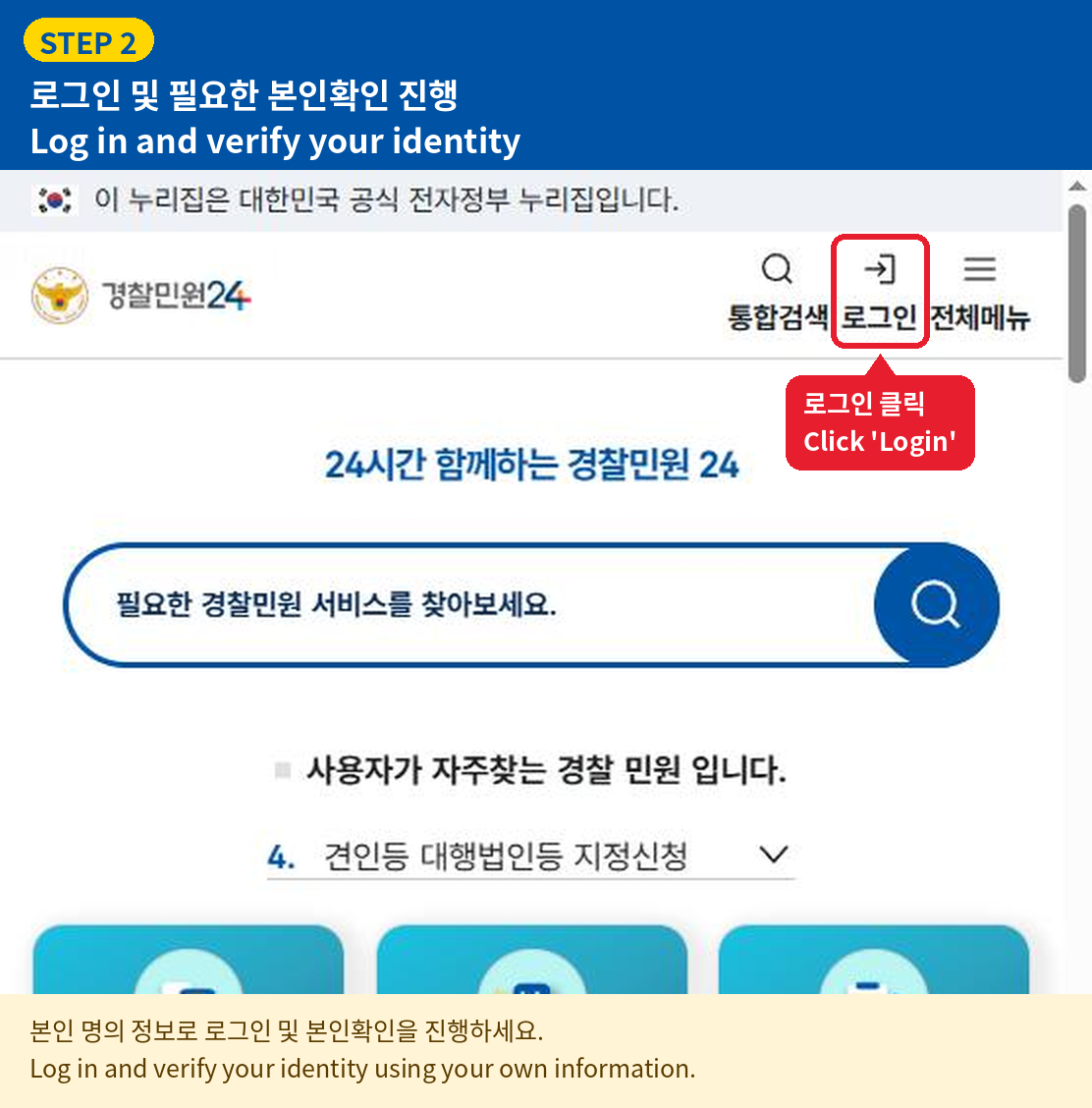
STEP 2. Log in and complete the required identity verification
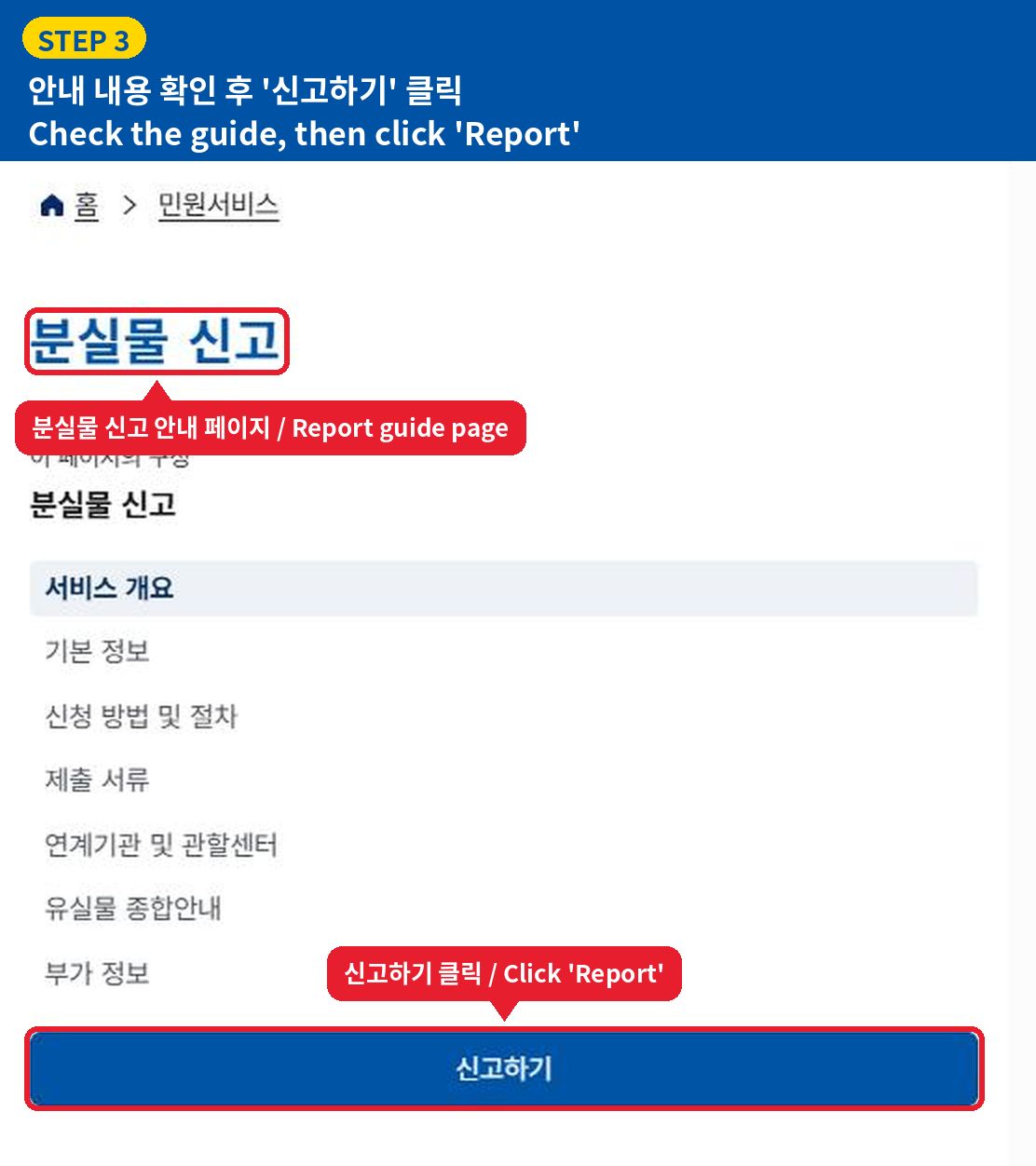
STEP 3. In 'Lost Property Complaint,' choose 'Report Lost Item'
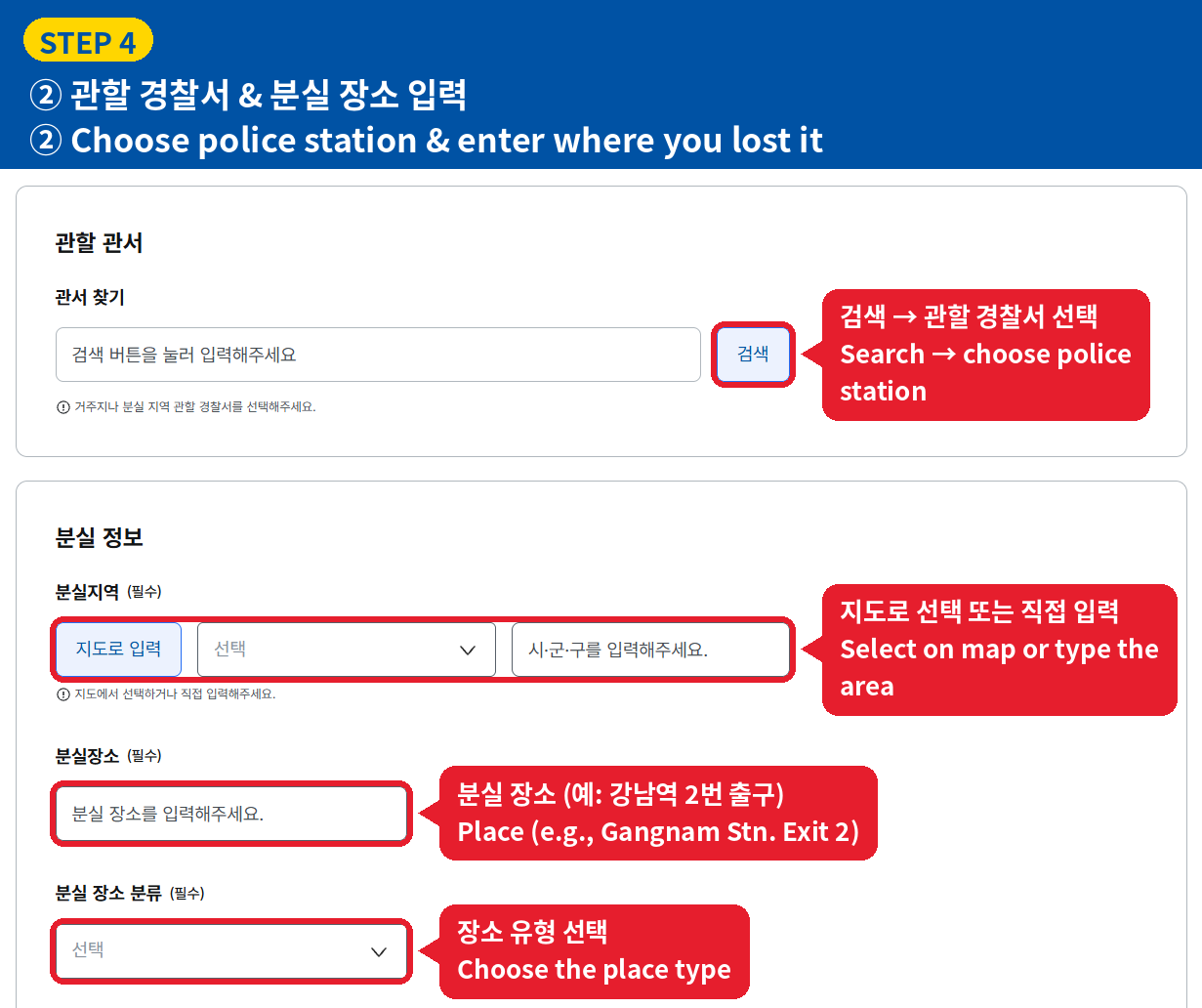
STEP 4. Enter the date, place, and item details
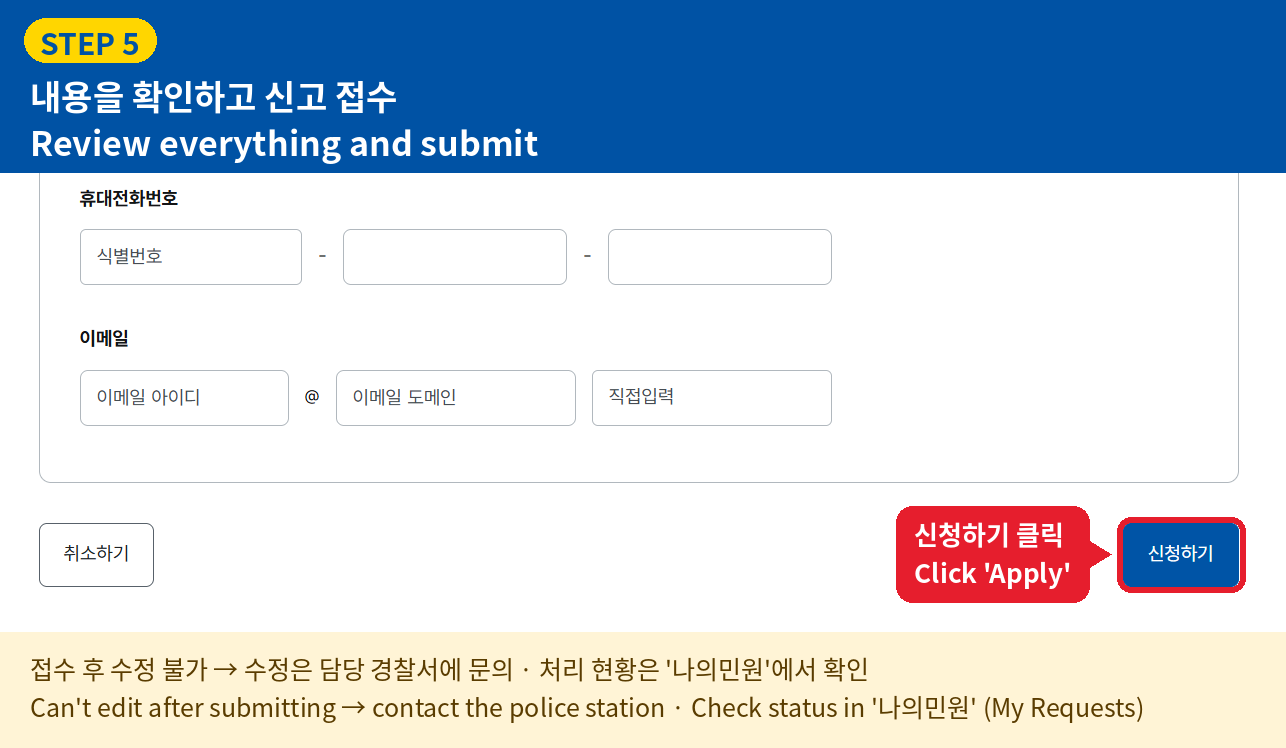
STEP 5. Check the details and submit the report
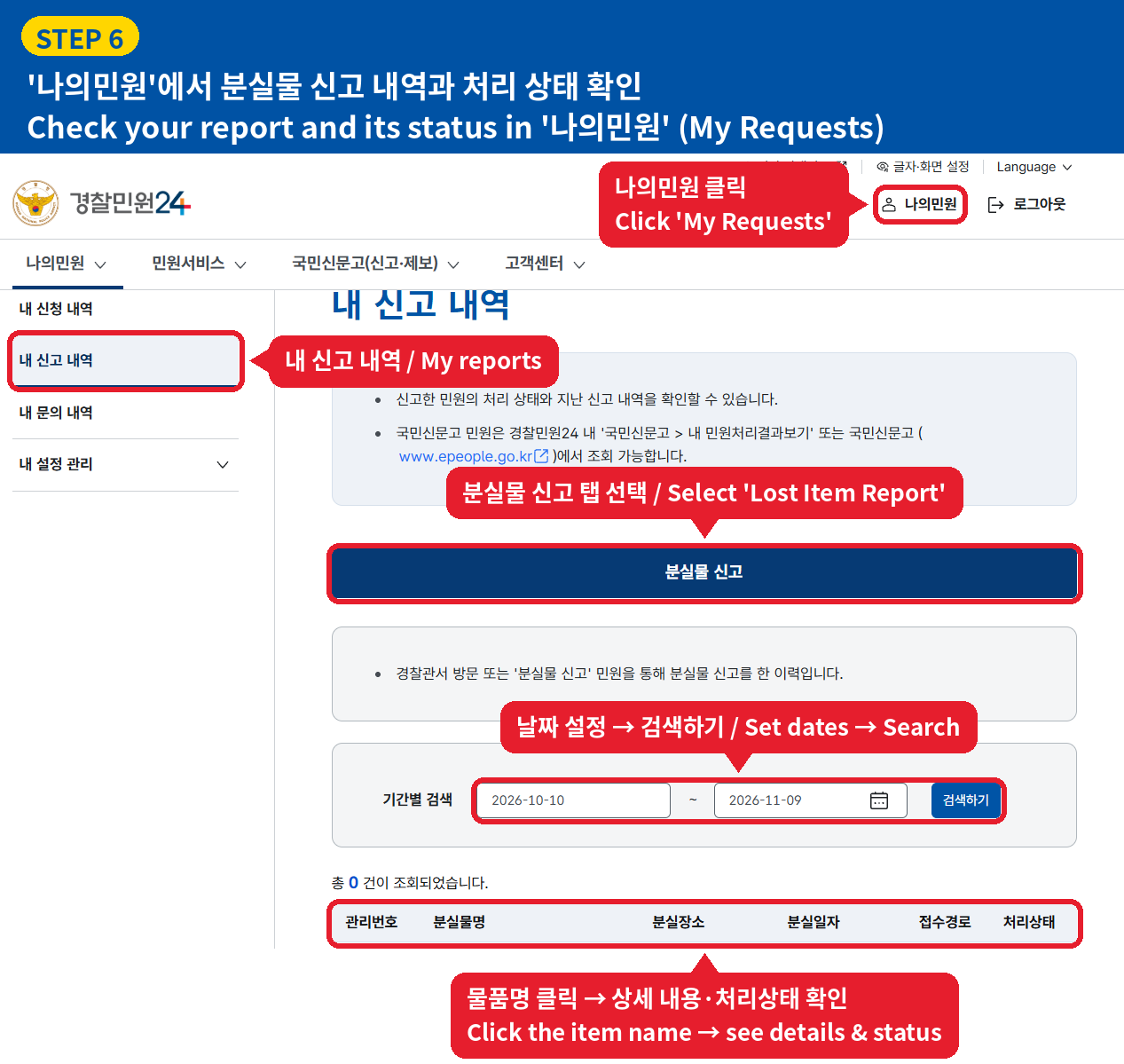
STEP 6: Check your lost item report history and its status in 'My Civil Complaint'.
In 'My Report·Tip History', select 'Lost Item Report', search by date, and click the item name to view the details.
Now that the report is complete, search for found items to check whether your item has been found!